
Your game. Your data. Your personal AI coach.
Forget battery-draining GPS apps.
PlayGolf18 helps you understand your game, stay focused and improve with data and AI.
1. Ultra-fast Round Tracking
Focus on golf. Not on your phone.
Track every shot in just a few seconds. No complicated GPS. No waiting. No distractions.
Simply record:
- Score
- Putts
- Fairways
- Greens
- Penalties
- Scrambling
- Sand Saves
Everything works offline and syncs automatically later.

Start the round
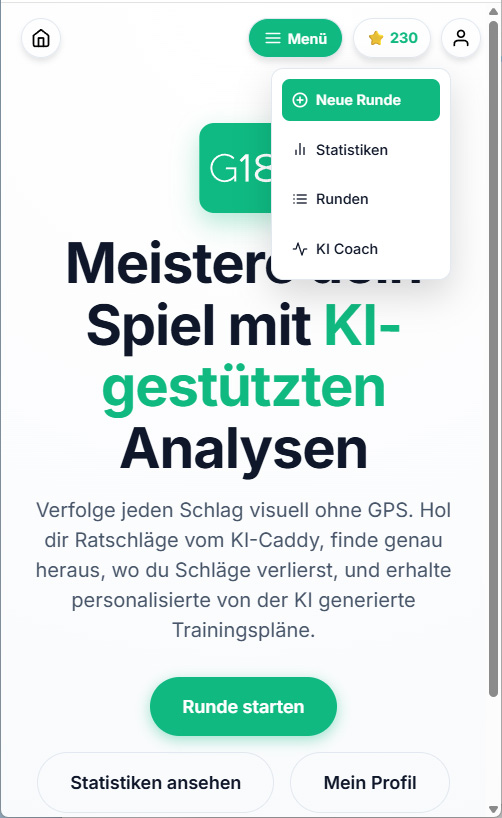
Simply click on the button or select ‘New Round’ from the menu
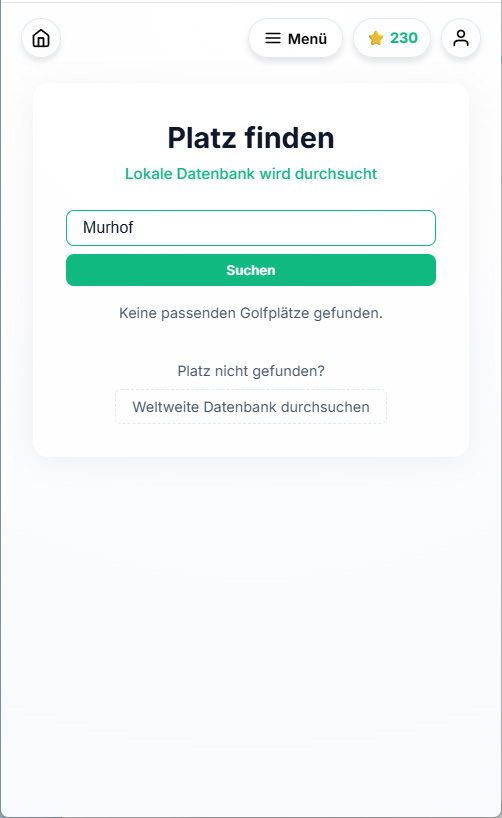
Choose a course
In the second step, select the venue. Enter the name. If the venue cannot be found locally, search the global database.
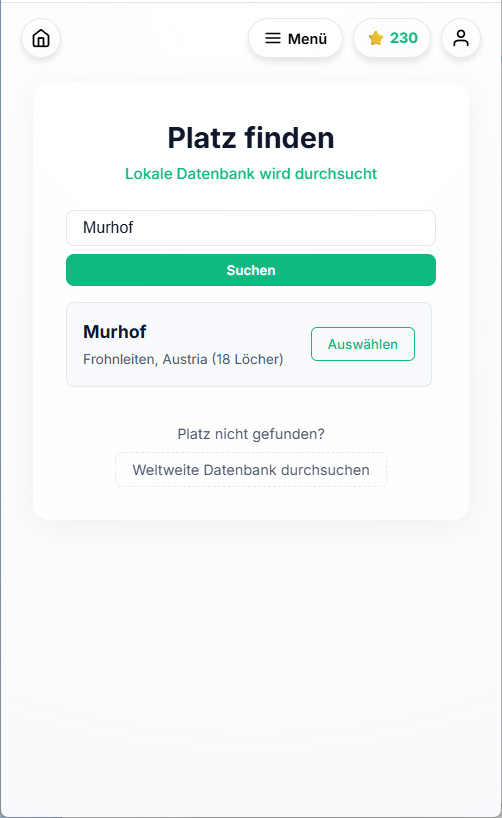
Choose a course
Once the course has been found, it can be selected from the list.
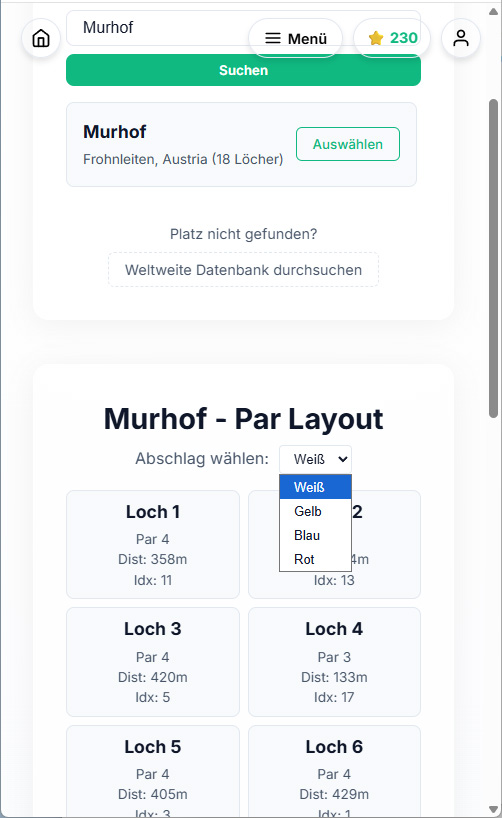
Choose tee
Once you’ve chosen a hole, you need to select a tee: there are different numbers to choose from depending on the course.
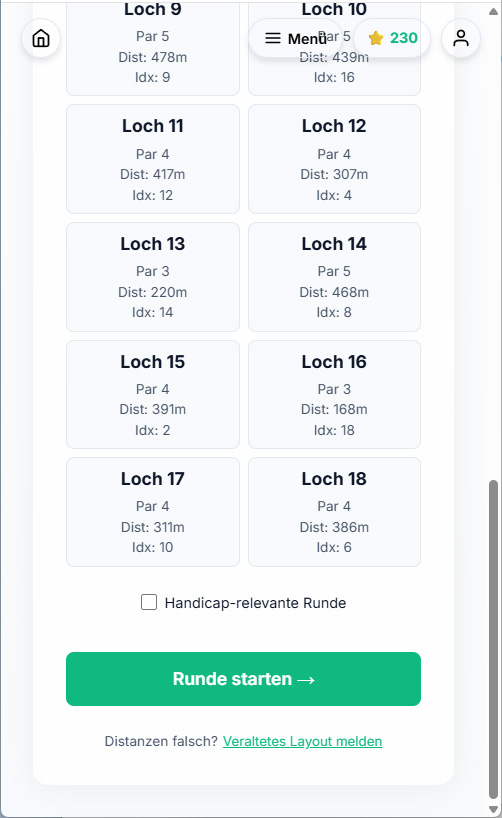
Effective for handicap purposes
As a final option, you can select whether or not the round is a tournament round (a round that counts towards your handicap). If the course data is out of date, you can report this here.
2. Visual Shot Tracking
Every shot tells a story.
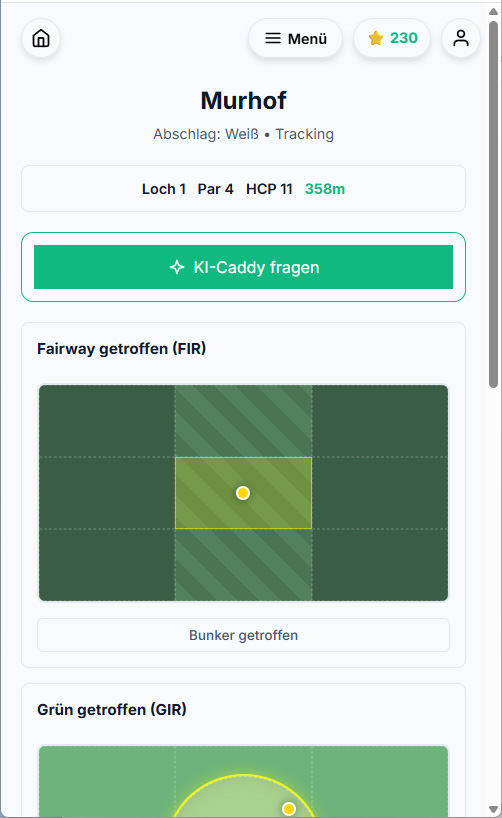
Instead of recording only numbers, PlayGolf18 lets you visually track where every shot finished.
You'll quickly recognise patterns:
- Always short?
- Missing left?
- Trouble from the tee?
- Too aggressive?
Understanding your misses is the first step to lower scores.

Did you hit the fairway?
Marker in the centre: fairway hit. To the left and right of this, fairway not hit. The distinction between ‘long’ and ‘short’ refers to the expected length of the shot: further than usual: enter the marker in the upper section; for a shorter landing point, enter it in the lower section. In addition, any fairway bunker hits can also be recorded.
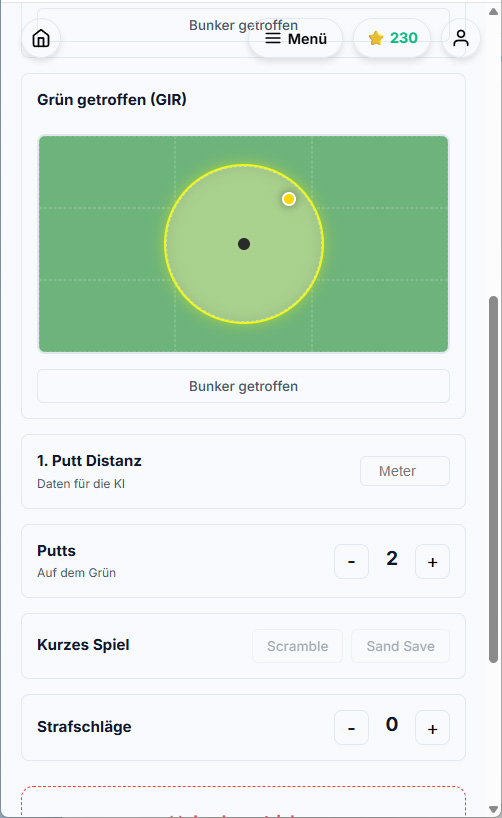
Hit the green?
The same principle as on the fairway: hit or missed, too far, too short, left or right. If the ball has landed in a bunker, there is the option of a sand save (yes/no). If the green was not reached, scrambling successful (yes/no).
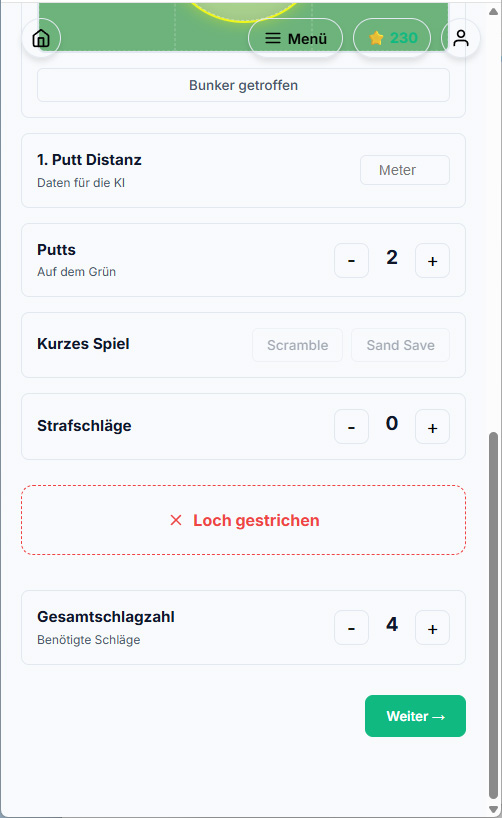
Scoring & Putts
This records the distance to the hole on the first putt, the number of putts and any penalty strokes. The total score is then calculated automatically.
Interruption
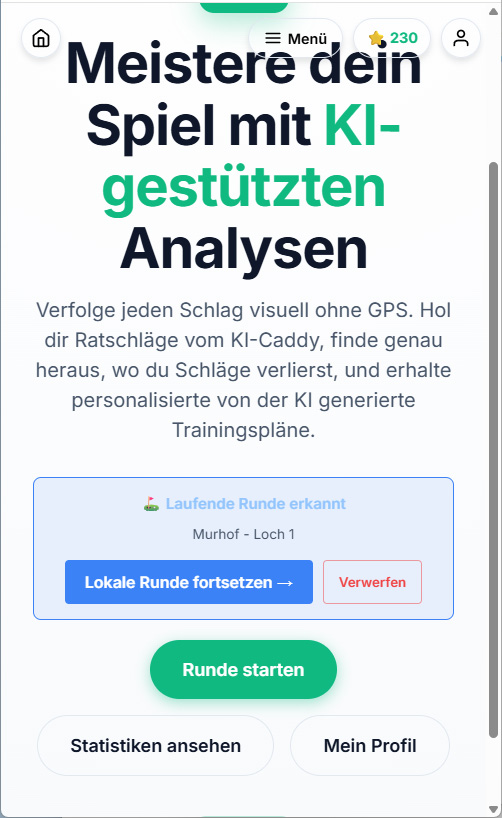
All holes are saved automatically; if the app is closed whilst you are playing a round, the home screen will show a reminder of the round you have already started.
Statistics
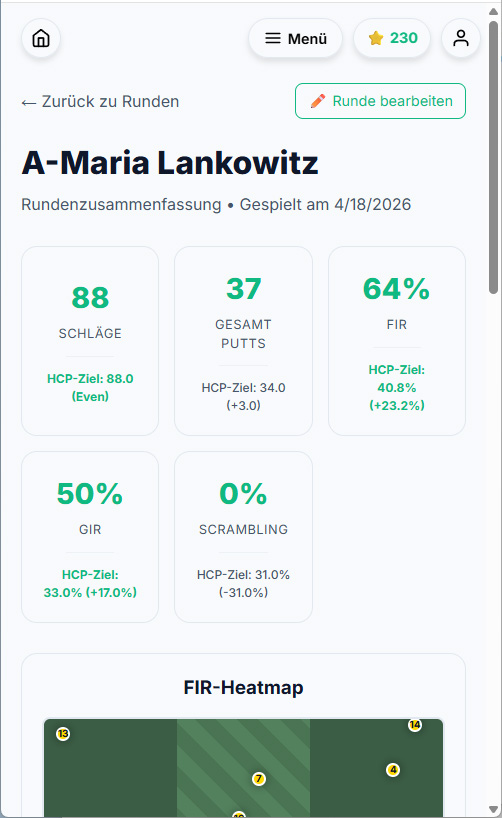
Once the round has been completed, it is saved and can be accessed under the ‘Rounds’ section. The round can also be edited or corrected at a later date.
3. Round Statistics
Stop guessing.
Know exactly where you're losing strokes.
PlayGolf18 automatically analyses:
- FIR (Fairway in Regulation = hitting the fairway)
- GIR (Green in Regulation = hitting the green within par)
- Putts
- Scrambling (if the ball didn’t land on the green, would an approach shot and a putt have been enough?)
- Sand Saves (Was one bunker shot and one putt enough from the green bunker?)
- Penalties
- Putting distances
- Average scores
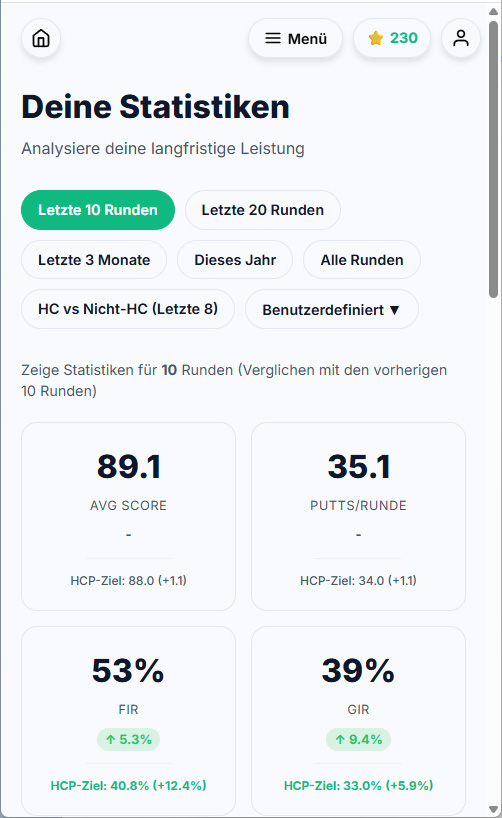
Compare today’s round with all previous rounds and track your progress over time.

Progress ...
All saved rounds can be used for comparison. For example, you can compare the last 5 rounds with the 5 rounds before that. Or, for instance, just the rounds that count towards your handicap. All relevant figures are displayed. This is also very helpful when you’re having a coaching session.
Comparable
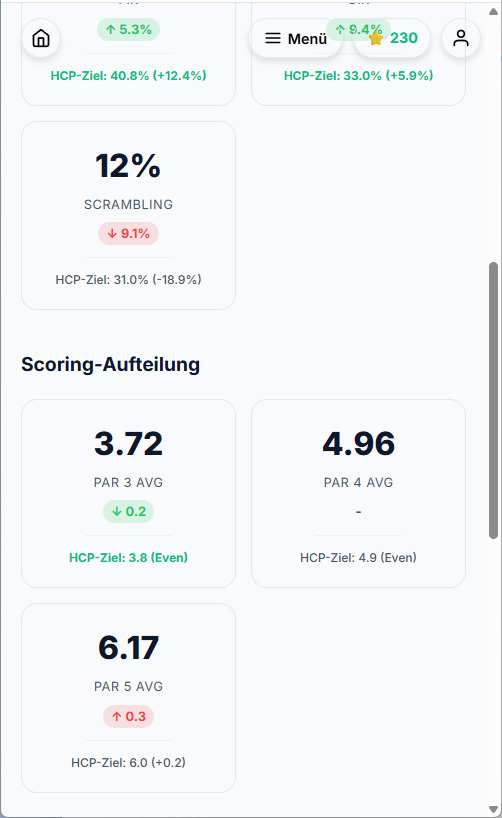
You can enter your current handicap in your account. This then allows you to compare your own scores with the average for your handicap group. This also forms the basis for the training plans.
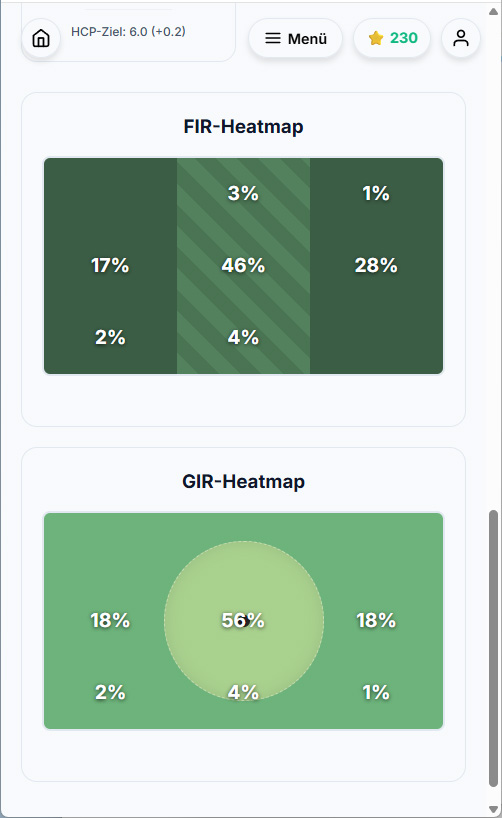
Overview
Fairway and green hits are also displayed visually. This gives you a quick overview of your current performance.
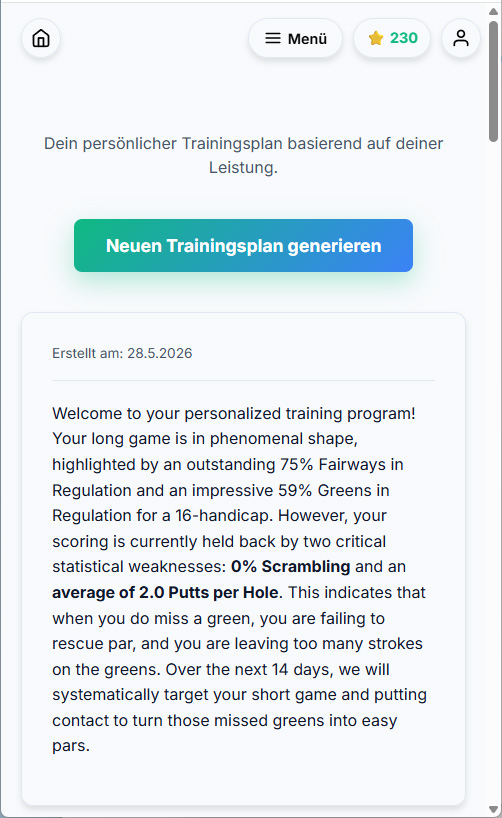
AI Training
A new training plan can be created after each newly recorded lap. The more laps that have already been recorded, the more accurately the plan can be tailored.
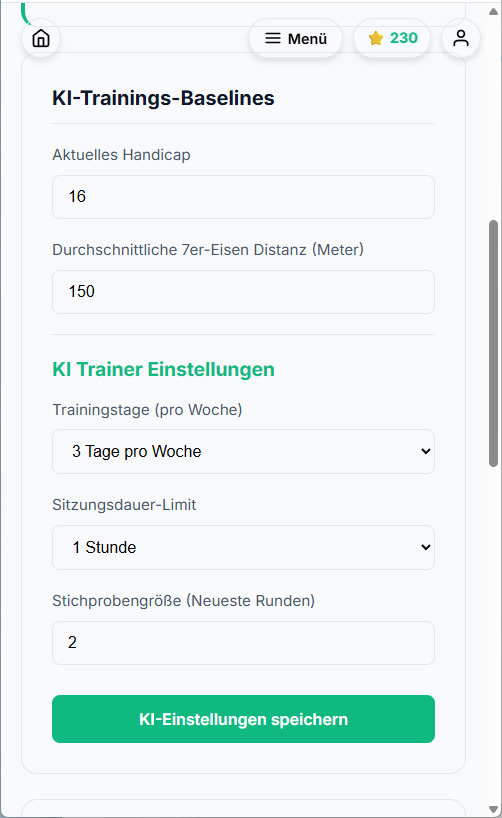
Timetable
To create your training plan, you need to enter your handicap, your average distance with a 7-iron, and the time and duration you wish to spend on training. Based on this information, a plan will be generated featuring various exercises, each with a brief explanation.

4. AI Training Plans
Practice with purpose.
Most golfers spend hours practising the wrong things.
PlayGolf18 analyses your recent rounds and creates personalised training plans based on your actual weaknesses.
Spend less time guessing. Spend more time improving.
5. Live AI Caddy
Stay focused.
Golf is played as much in your mind as with your swing.
The Live AI Caddy helps you:
- stay calm
- trust your routine
- recover after mistakes
- keep your focus, maintain confidence
- No club recommendations.
- No strategy advice.
- Just mental support throughout your round.
6. Rewards
Every round matters.
Earn rewards for:
🏌️ Playing rounds
🤖 Using the AI Caddy
📈 Following your training plan
💪 Completing practice sessions
Build consistent habits that lead to better golf.
7. Free or Premium?
Start for free.
Perfect to get started.
- Unlimited rounds
- All rounds securely stored
- View your latest round
Basic – understand your game. €2.99 per month / €29.90 per year
- Complete history
- Statistics
- Trends
- Rewards
AI Training – Train smarter. €7.99 per month / €79.90 per year
- AI Training Plans
- Personal practice recommendations
AI Caddy – Play smarter. €11.99 per month / €119.99 per year
- Live AI Caddy
- Mental coaching
- Focus support
8. No GPS. On Purpose.
Why we don't use GPS.
GPS apps:
❌ drain your battery
❌ require constant attention
❌ distract you from golf
With PlayGolf18, you can enjoy your round (scoring works even in aeroplane mode).
The analysis happens afterwards.
9. Digital or Analog
Your game. Your choice.
Love using your phone?
Perfect.
Prefer writing on paper?
Use the PlayGolf18 Performance Scorecard and transfer your round afterwards.
Same statistics.
Same AI.
Your preferred workflow.